
Catnip-infused mod that brings out Bongo Cat's zoomies and purrs. Includes quality of life features and fixes. Free, safe, and no cheats.
This mod extends the Bongo Cat game with additional features and improvements by modifying the game's code while it runs, without changing the original game files.
TODO
- Go to the Releases ↗ page
- Download the latest
CatnipMod.zipfile - Extract the contents of the zip file
Automatic Installation (Recommended)
- Double-click
install.batin the extracted folder - The installer will automatically detect your Bongo Cat installation path
- If Bongo Cat is running, it will be automatically closed to ensure a clean installation
- Only mod files (
winhttp.dll,doorstop_config.ini, andCatnipMod\folder) will be copied to the game directory - The game directory will open in Windows Explorer after successful installation
Manual Installation
- Copy all files and folders from the
BongoCatfolder to your Bongo Cat installation directory:- Default location:
C:\Program Files (x86)\Steam\steamapps\common\BongoCat\ - The files to copy include:
winhttp.dll(in the root)doorstop_config.ini(in the root)CatnipMod\folder (containingCatnipMod.dlland assets)
- Default location:
Your game directory structure should look like this:
BongoCat/
├── BongoCat.exe
├── winhttp.dll          ← Mod file
├── doorstop_config.ini  ← Mod file
├── CatnipMod/           ← Mod folder
│   ├── CatnipMod.dll
│   └── ... (mod assets)
└── ... (other game files)
- Launch Bongo Cat through Steam as normal
TODO
Automatic Uninstallation
- Double-click
uninstall.batin the extracted mod folder - The uninstaller will automatically detect your Bongo Cat installation path
- If Bongo Cat is running, it will be automatically closed to ensure a clean uninstallation
- Only mod files (
winhttp.dll,doorstop_config.ini, andCatnipMod\folder) will be deleted from the game directory - The game directory will open in Windows Explorer after successful uninstallation
Manual Uninstallation
- Delete the mod files from your Bongo Cat installation directory:
- Default location:
C:\Program Files (x86)\Steam\steamapps\common\BongoCat\ - The files to delete include:
winhttp.dll(in the root)doorstop_config.ini(in the root)CatnipMod\folder (containingCatnipMod.dlland assets)
- Default location:
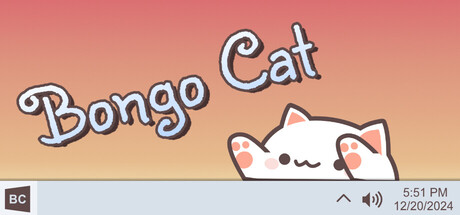
Bongo cat needs your help. Bongo cat needz more hatz!!! Every time you press a key, Bongo cat will punch your taskbar. Type, click, play, work to collect more points. Which hats will you find?
Publisher: Irox Games ↗
Developer: Marcel Zurawka ↗, Julius Krüger ↗
Bongo Cat © Irox Games, Marcel Zurawka, Julius Krüger. Bongo Cat is a trademark of its respective owners. This mod is not affiliated with, endorsed by, or sponsored by the creators of Bongo Cat.